
Keyword Cannibalisation: What It Is and How to Fix It
When several of your pages compete for the same keyword, Google cannot tell which to show. How to find the problem and fix it without breaking what works.

When two of your pages chase the same search, Google has to pick one, and often neither ranks as well as one strong page would. This guide explains what keyword cannibalisation is, how to find it and which fix to use for each page.
What Is Keyword Cannibalisation?
Keyword cannibalisation is when two or more pages on your website target the same keyword and compete for the same searches. In effect, you are competing with yourself.
Why Is Keyword Cannibalisation a Problem?
When Google cannot tell which of your pages to show, the pages competing with each other tend to rank worse. It is not always serious. But when internal and external links point to different pages with the same keyword in the anchor text, you are not only confusing Google, you are also splitting the link equity between the pages.
How to Find Keyword Cannibalisation
There are three ways to find it:
- A site: search on Google (site:yourwebsite.co.uk keyword) – quick and easy, but it only finds pages that are already indexed.
- Google Search Console – free from Google, though it needs some search history to work with.
- An SEO tool, if you or your agency has one.
Search Your Own Site on Google
- Go to Google
- Search for site:yourwebsite.co.uk “keyword”, with your own domain and the keyword you are working on
Not every result is cannibalisation, as Google will usually return several of your pages for a keyword. Open the top results, and where two or more pages clearly target the same keyword, make a note of them; the fixes are further down.
Check Google Search Console
- Log in to Google Search Console
- Under “Performance”, click “Search results”
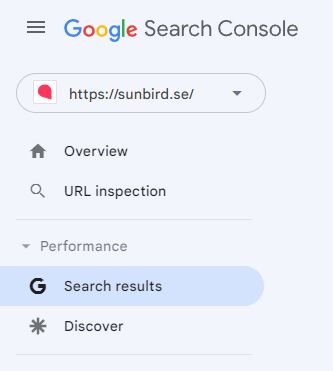
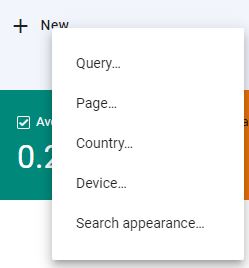
- In the filter bar above the chart, add a “Query” filter (the “+ New” menu in the screenshot below) and enter the keyword you want to look into.
- Open the “Pages” tab below the chart.
You can now see every page that has had impressions or clicks for that keyword. For keywords where Google shows local results, several pages often appear, and that is normal.
What matters is how many impressions and clicks go to pages that are not meant to rank: the more they get, the bigger the problem. A handful of impressions is no reason for drastic action.
Use an SEO Tool
Many SEO tools flag keyword cannibalisation for you. SE Ranking, for example, has a report that lists the keywords where two or more of your URLs compete.
Another sign is a ranking URL that keeps changing. If you track your rankings, check which URL ranks for each keyword: if it keeps switching between two pages, they are competing.
How to Fix Keyword Cannibalisation
Start by deciding which page should rank for the keyword, which we call the primary page. Then, for each page that competes with it, choose one of the five fixes below.
Fix 1: De-optimise the Keyword on the Other Pages
If you want to keep the competing page and only the keyword is in the wrong place, remove the keyword from the pages it should not target.
As with any optimisation, some parts of a page count for more than others: the page title, the H1, the H2s and the opening text matter most. If the keyword appears in any of those places on a page other than the primary page, remove it there first.
Fix 2: Link to the Primary Page
Pages that Google considers relevant for the keyword, but that are not your primary page, are a good place for internal links to it. If the competing pages mention “yellow running shoes”, for example, link that phrase to your primary page.
Fix 3: Merge the Pages
If both pages have value but compete for the same keyword, it often makes sense to merge them into one.
- Choose the page to keep: the one that serves visitors best or the one that already ranks best
- Move the content worth keeping to that page
- Set up a 301 redirect from the merged page to the page you keep
Fix 4: Delete Pages You Do Not Need
If the secondary pages have nothing worth keeping, you can remove them. Do this with care, though, and only if:
- The page is low quality
- It gets little traffic
- You have many low-quality pages and need to clean up
If the page you remove has links from other websites or still gets visitors, set up a 301 redirect to the primary page so they are not lost. If it has neither, there is nothing to pass on, so do not redirect it: let it return a 404 or 410, and Google will drop it from its index.
Fix 5: Use Canonical URLs
Sometimes you need to keep both pages so that visitors can reach either of them. In that case, add a canonical tag to the secondary page that points to the primary page, for example <link rel="canonical" href="https://yourwebsite.co.uk/primary-page/" /> in the page’s head. Google treats it as a strong signal of which version you prefer, not a command.
Check for Duplicate Pages and Parameter URLs
Duplicate or near-duplicate content competes in the same way and is handled with the same canonical tag.
A common source of duplicates is URL parameters: the part of a URL after a question mark, such as ?colour=blue or ?sort=price. If those versions are indexed and are exact or near copies of the main page, point a canonical tag at the main version, or keep the filter and sort URLs out of Google’s index. Our guide to technical SEO covers both in more detail.
Why Paginated Pages Rarely Need Fixing
Google treats page 2, page 3 and so on of a category or blog listing as separate pages, so as long as each has its own URL, there is usually nothing to fix, even if an SEO tool’s site audit flags them as duplicates. Do not point their canonical tags at the first page.
How to Prevent Cannibalisation with a Keyword Map
The best protection is a plan from the start. We call it a keyword map: a record of which keyword belongs on which page, and it is part of the long-term strategy in all our SEO work. When we take on a large website, sorting out cannibalisation, duplicate content and thin pages is often one of the most valuable jobs we do.
A keyword map can be as simple as a spreadsheet with four columns: keyword, search volume, landing page and status. A row might read “forklift hire leeds”, the monthly volume from Keyword Planner, /forklift-hire/leeds/ and “live”. Before anyone writes a new page, check the map: if the keyword already has a page, improve that page instead. Read more about how to do keyword research.
If you would like a second pair of eyes, start with a free search audit or see our SEO services.