
Keyword cannibalisation in SEO: what it is and how to fix it
When several of your pages compete for the same keyword, Google gets confused. How to find the problem and fix it without breaking what already works.

In this post we cover what keyword cannibalisation (also called internal competition) is, why it holds back your rankings, and how to find and fix it.
If you would like help with your SEO, our SEO agency is happy to help. It always starts with a free search audit.
What is keyword cannibalisation?
Keyword cannibalisation is when more than one page on your website tries to rank for the same keyword. Put simply, you are competing with yourself.
Why is keyword cannibalisation bad?
When Google is unsure which page to show, the pages competing with each other tend to rank worse.
How serious it is varies. When internal and external links send signals to different pages with anchor text for the same keyword, you are not only confusing Google, you are also splitting the link equity between the pages.
How do I find keyword cannibalisation?
We mainly use three methods:
- site:yourwebsite.co.uk keyword – Quick and easy, but it only finds cannibalisation among pages that are already indexed.
- Google Search Console – A free tool from Google, though it needs historical data.
- SEO tools – If you have one that does the job, or work with an SEO agency
Option 1: Site search
- Go to Google
- Search for site:yourwebsite.co.uk “keyword” (swap in your own domain and the keyword you are working on)
Bear in mind that not every result that comes up is necessarily cannibalisation. Google will usually return a few results.
Open the top results. Where you do see cannibalisation, make a note of it, and we explain below how to fix it.
Option 2: Google Search Console
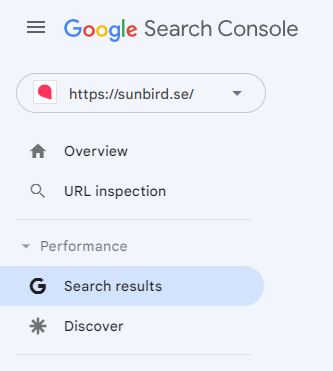
- Log in to Google Search Console
- Click “Search results”
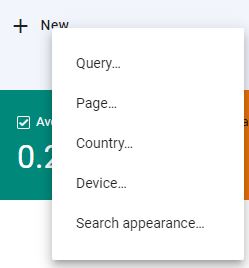
- Click “New” and then “Query”, and enter the keyword you want to look into.
- Click “Pages”
You can now see every page that has had impressions and clicks for that keyword.
Bear in mind that for keywords where Google shows local results, it is common for several pages to appear.
The more impressions and clicks that pages which are not meant to rank are getting, the bigger the problem. A handful of impressions is not a reason to pull the big levers.
Option 3: SEO tools
If you have an SEO tool, it will usually flag keyword cannibalisation for you.
Another trick is to see whether the ranking URL for a keyword keeps changing. If you have a tool that tracks your rankings, it will usually warn you when the URL changes for a keyword.
How do you fix keyword cannibalisation?
The first step in fixing keyword cannibalisation is to decide which page should rank for the keyword. We will call this the “primary page”.
Once you have found the pages competing with your primary page, do one of the following.
De-optimise the keyword
If you want to keep the page itself and it is only a keyword that has ended up in the wrong place, we recommend removing the keyword from the pages it should not be on.
Just as when you optimise for SEO, some places on a page matter more for keywords than others. The page title, H1, H2 and text high up on the page are important places, for example. If you find the keyword in any of these places on a page other than the primary page, that is where to remove it first.
Link internally
Pages that Google considers relevant for a keyword, but that are not your primary page, are an excellent place to add internal links.
If the pages competing with your primary page mention “yellow running shoes”, you can link to your primary page from that phrase.
Merge pages
If the pages you find both have value but compete for the same keyword, it can make sense to merge them into one.
- Choose the page you want to keep (either the one that is best for the visitor or the one that already ranks best)
- Take the content you want to keep and add it to the primary page
- Set up a 301 redirect from the merged page to the primary page
Delete pages
Where you do not think the secondary pages have any valuable content, you can simply remove them. Be careful with this, though, and only do it if:
- The page is low quality
- It gets little traffic
- You have many low-quality pages and need to clean up
If the page meets the criteria above, remove it and set up a 301 redirect.
If the page is of very low quality, do not redirect it.
Canonical URLs
There are cases where you need to keep both pages so that visitors can reach either of them. In those cases you can use canonical URLs.
URL parameters
Put simply, URL parameters are URLs with a ? in them.
If these pages are indexed and are exact duplicates, or very similar, it is worth sorting them out.
Pagination, on the other hand, Google should understand on its own, even if most SEO tools and Google Search Console flag it when you run a technical audit.
Duplicate content
If you have duplicate or near-duplicate content, you get keyword cannibalisation, and you can use canonical URLs to deal with it. That way, only the primary page ranks.
Read this article if you want to learn more about technical SEO. We also cover how to set up canonical URLs there.
A content plan is the key
The best way to avoid keyword cannibalisation is to have a plan from the start.
At Sunbird we call this a content plan or “content map”. Deciding which keywords go on which page is part of the long-term strategy in all our SEO work.
When we take over large websites, sorting out keyword cannibalisation, duplicate content and thin pages is often one of the most important jobs we do.
A common mistake among people without much experience is to cram in keywords without realising how it harms their SEO.
A content map can be as simple as a spreadsheet with four columns: keyword, search volume, landing page and status. Read more about how to do keyword research.